As a Kenjo user, you can now check your time balance directly on your mobile device. This allows you to easily see the hours you’ve worked in a week or month compared to your expected working hours.
You can only view your own time balance on your phone, or the time balance of any account you have login credentials for.TABLE OF CONTENTS
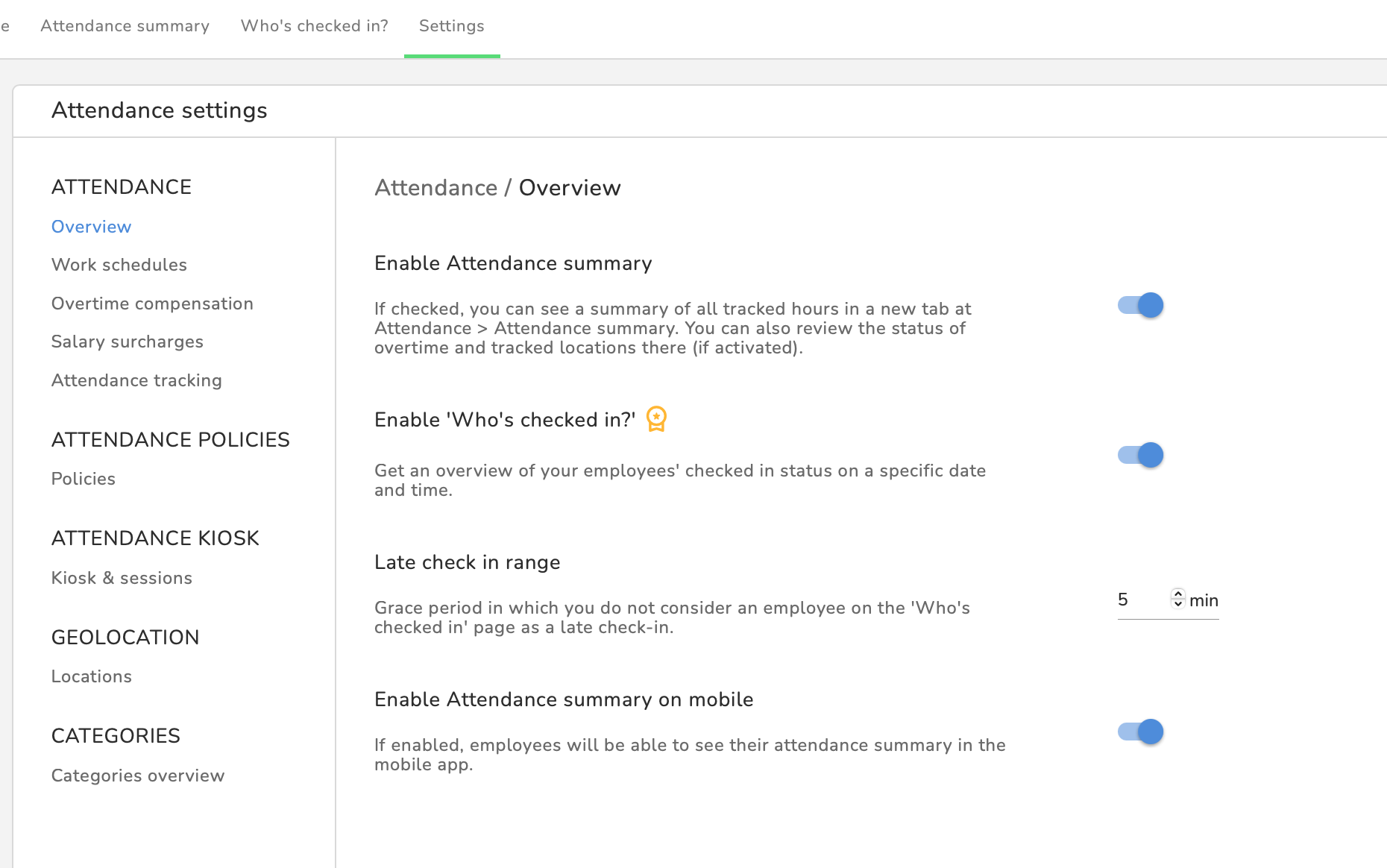
For admins: Disable/enable time tracking
By default, time tracking is enabled.
- Go to Attendance > Settings > Overview
- Toggle the switch for Enable time tracking overview in the app to the left to disable this feature
- Once you disable this feature, your employees will no longer see a time tracking overview in their timesheet on their smartphone.
View your time balance
- Open the Kenjo mobile App
- Click on Timesheet on the left horizontal menu
- In the upper menu select the weekly or monthly view
- Depending on your selection, you’ll see a progress bar at the bottom showing your tracked hours, with your net expected target for the week or month displayed on the right.
The net expected time is calculated by taking your contractual working hours and deducting any time off and public holidays.Your tracked time consists of all hours previously recorded under attendance.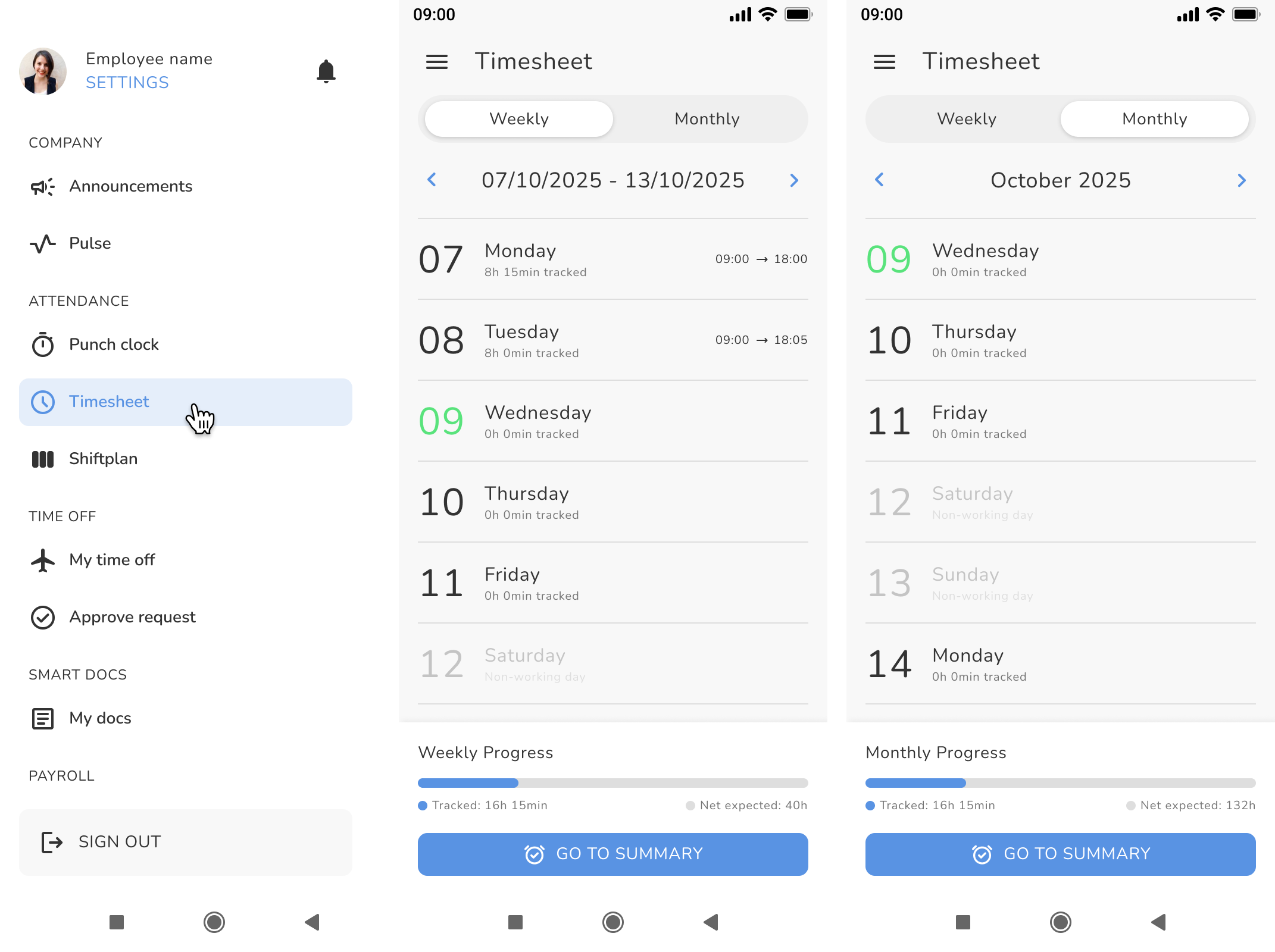
- Click GO TO SUMMARY to see your time balance
- Click on the small downward facing arrow next to the hh:mm to see the detailed view
- Click the arrow on the left of the month description to see tracked and net expected time for previous month
You're also able to see the net expected and tracked time for preceding months, but without the detailed view: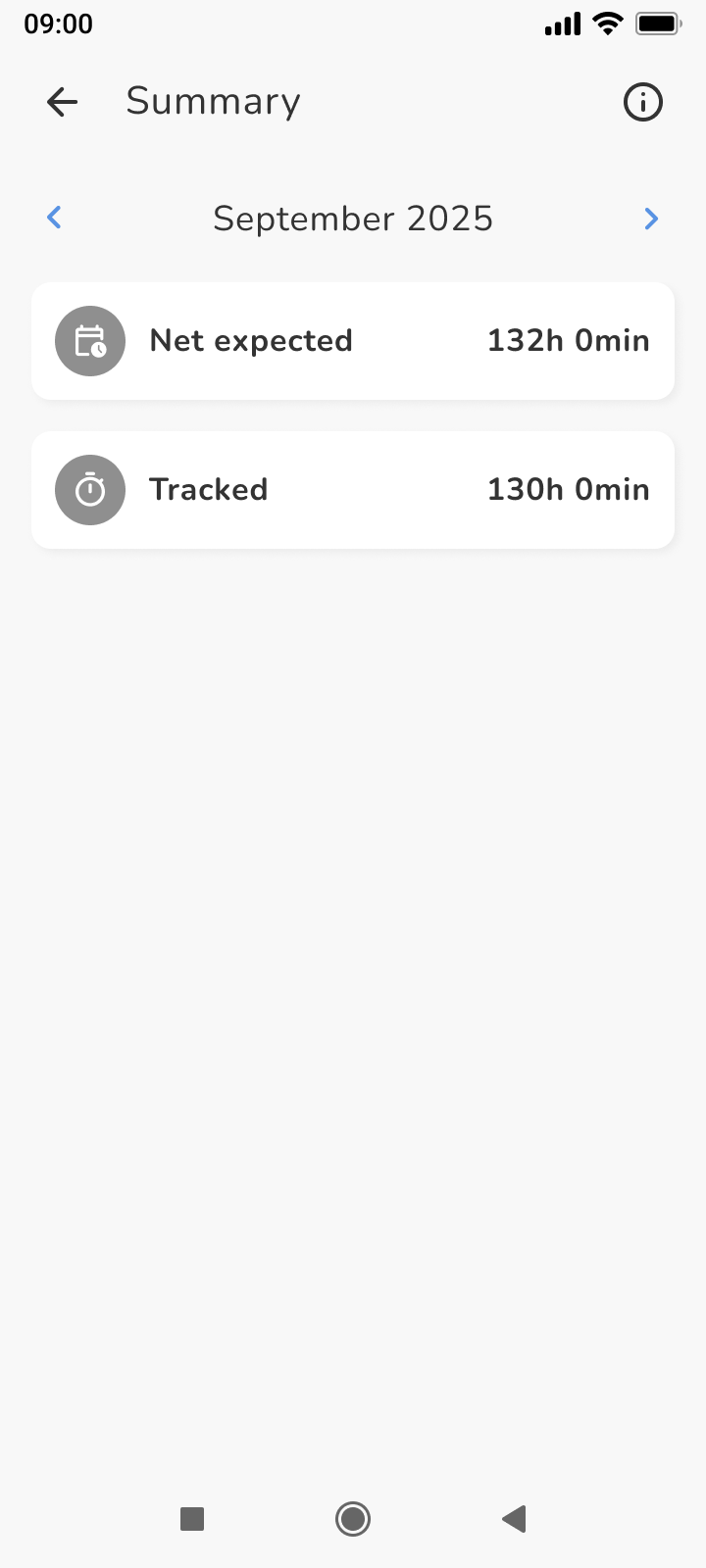
- A green background indicates a neither positive or negative time balance. A dark orange background indicates negative balance for the ongoing month and a light orange background shows a positive balance for the month.
The summary always reflects the current month up to the current day, also if you selected a weekly view in the previous timesheet step. 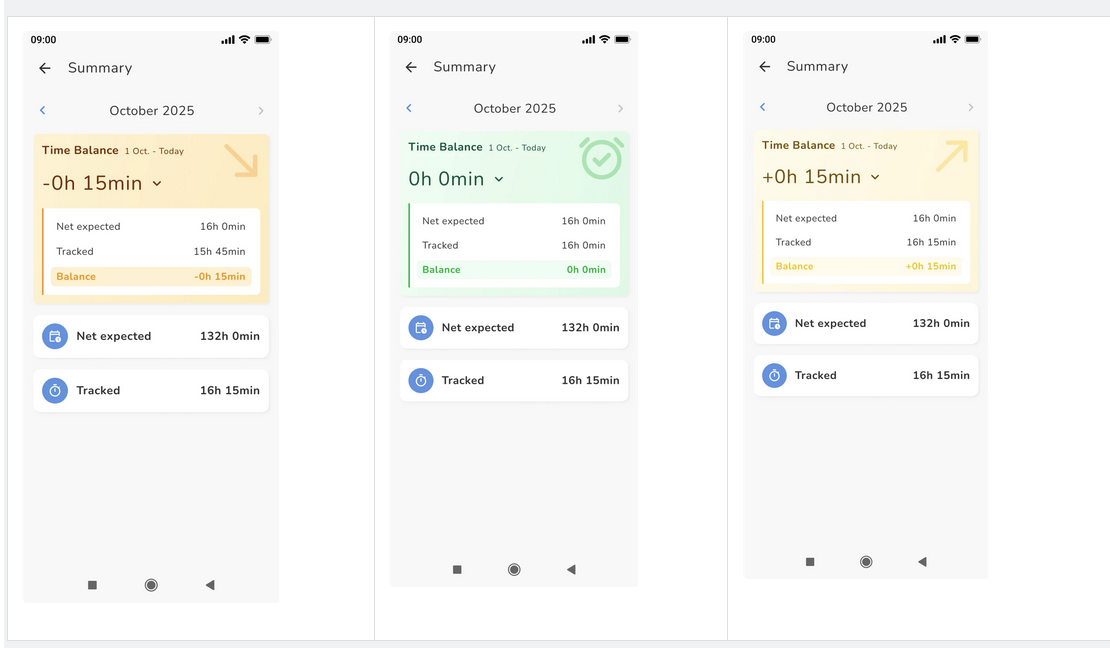
Was this article helpful?
That’s Great!
Thank you for your feedback
Sorry! We couldn't be helpful
Thank you for your feedback
Feedback sent
We appreciate your effort and will try to fix the article